kintone has no feature that locks a record while someone is editing it, so other users can still open and edit the same screen. When two people edit the same record at the same time, the first save wins, and whoever tries to save afterward gets the error "Another user updated this record while you were editing it" and cannot save. The exact wording "Another user is editing this record" does not appear in the official kintone help error list (as of October 2026), and the standard fix is to reopen the latest version of the record and redo your edits.
It's not a lock: whoever saves first wins
The official kintone FAQ states clearly that kintone cannot lock a record so other users are prevented from opening it while someone is editing. The outcome is decided by save order: the first person to save gets their changes applied, and anyone who tries to save after that hits an update conflict error and cannot save.
Since simply having the record open doesn't notify anyone, it's common for a second editor to start working without realizing someone else already has the record open. Failing to save isn't a bug — it's what happens because someone else already saved first.
What to do when the save fails, and the update notice added in July 2026
When the save fails, kintone shows a message like "This record was updated at (date/time) so it could not be saved. Please edit based on the latest version," along with a link to "Open the latest version" (as shown in the October 2026 screen). When this happens, copy your input first, then open the latest version of the record and redo your changes on top of the current data. This is because the record saved first becomes the official version, so kintone is designed to prevent an overwrite based on outdated data.
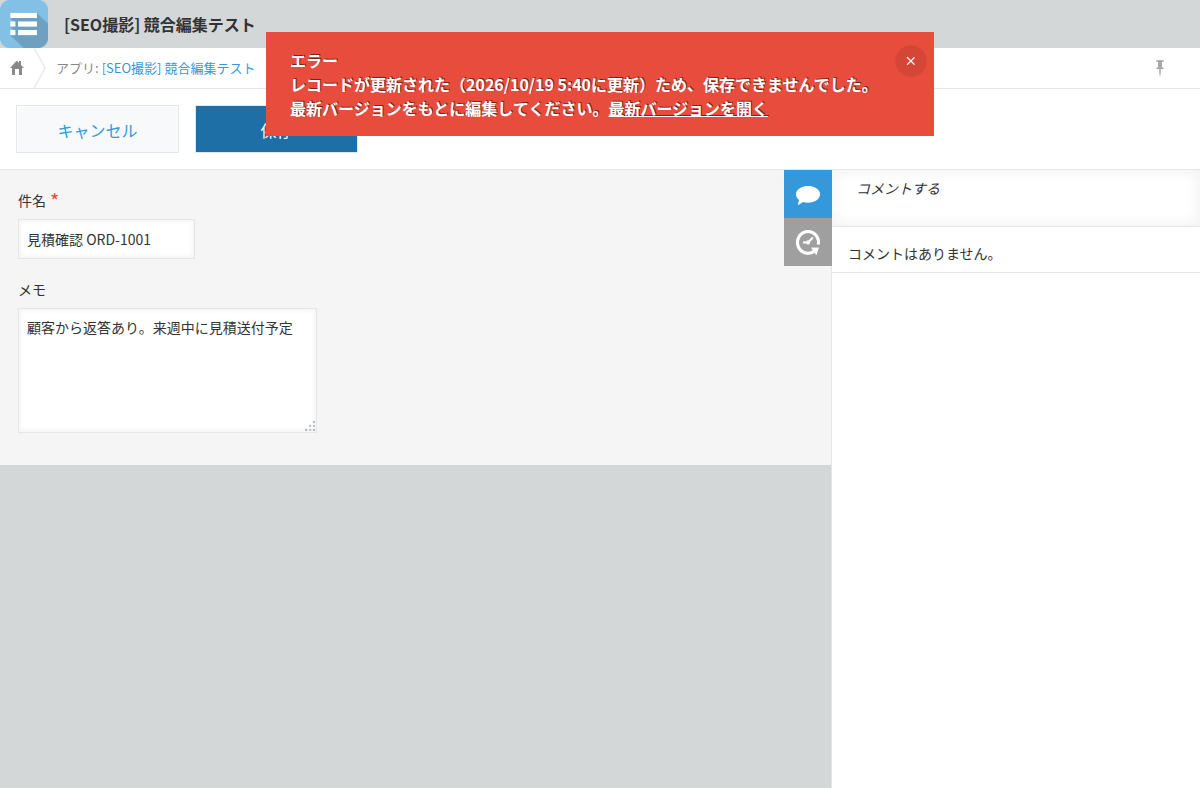
Starting with the July 2026 update, if another user updates the record while you're viewing or editing it, kintone now shows the new version number and update time at the top of the screen. While viewing, you can refresh with the "Reload record" link; while editing, you can check the latest version using the "Open the latest version" link. The official help does not document what happens when two saves land at exactly the same moment (as of October 2026).
How to check what was actually saved using the change history
To confirm what actually got saved, check the change history. On the record details screen, open the "Change History" icon in the comment area on the right side. It lists the edited versions in order from newest to oldest, and clicking "Show changes" highlights what changed in green. You can also use "Revert to this version" to roll the record back to an earlier version.
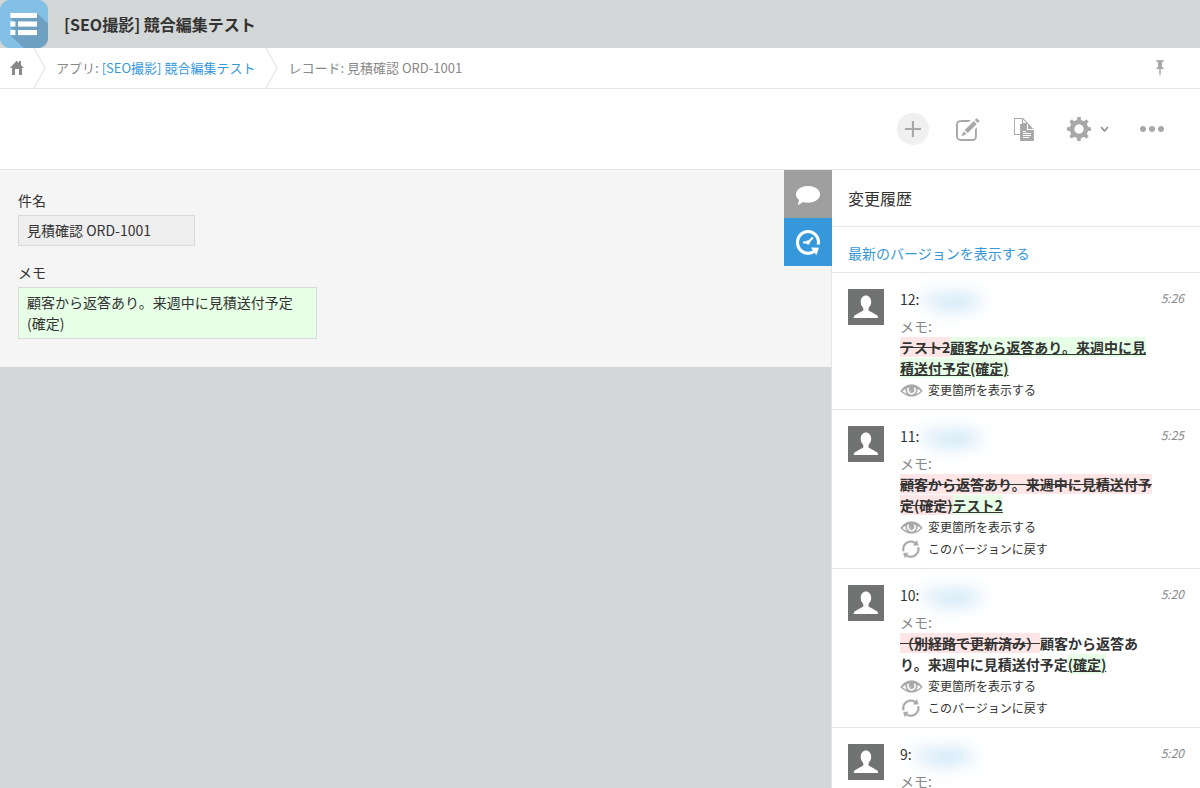
Process management status, the assignee, and the values of fields you don't have edit permission for can't be reverted this way, but checking the change history is still the most reliable way to see what ended up in the record.
Preventing simultaneous edits is outside kintone's standard features
Everything above is about noticing and fixing a conflict after it happens. There is no standard kintone feature that prevents simultaneous editing before it occurs. For apps where edit conflicts happen often, you can get closer to prevention by using process management to assign different access permissions per status, restricting editing for a given status to a single assigned person. It's enough to apply this only to the apps where conflicts are frequent.
What kintone supports as standard is a way to notice and fix conflicts after they happen, plus a workaround using process management to restrict editing. Locking a record during editing is not part of the standard feature set as of October 2026.