
When you create a packing slip in kintone, the standard App Action feature is enough to carry over the line items from a sales order record as-is. You can also print both your office copy and the customer copy at once, just by setting the number of copies in your browser's print dialog. What the standard tools can't do is calculate a subtotal for each tax rate: kintone has no SUMIF function, so you need to design a Calculated field for each tax rate inside the table (subtable).
Where packing slips trip up app administrators first
A packing slip is usually built as a separate app from the sales order app. Retyping the line items — item name, quantity, unit price — from the order record is extra work, and it increases the risk of typos. If the order includes a mix of tax rates, you need separate subtotals for, say, 8% and 10% items. On top of that, most companies need two copies: one for their own records and one to hand to the customer. And unlike a purchase order, which is often issued in a batch, a packing slip has to go out one at a time with every shipment.
Carrying over order line items and printing two copies both work out of the box
In the sales order app's settings, you can create an App Action and set the packing slip app as the copy destination. From there, field mapping lets you match up fields between the two apps. kintone's help documentation explains that fields inside a group or a table need to be mapped one by one, and once you map each column in the table, the line items carry over as a complete set of rows. Printing two copies is just as simple: since record printing goes through your browser's print function, entering 2 in the copies field of the print dialog produces both copies in a single pass. For a workflow where one sales order becomes one packing slip, these two pieces work fine with kintone's standard features. If a shipment only uses part of the line items (a split shipment), the App Action still copies the whole table, so you'll still need to manually delete the rows you don't need.
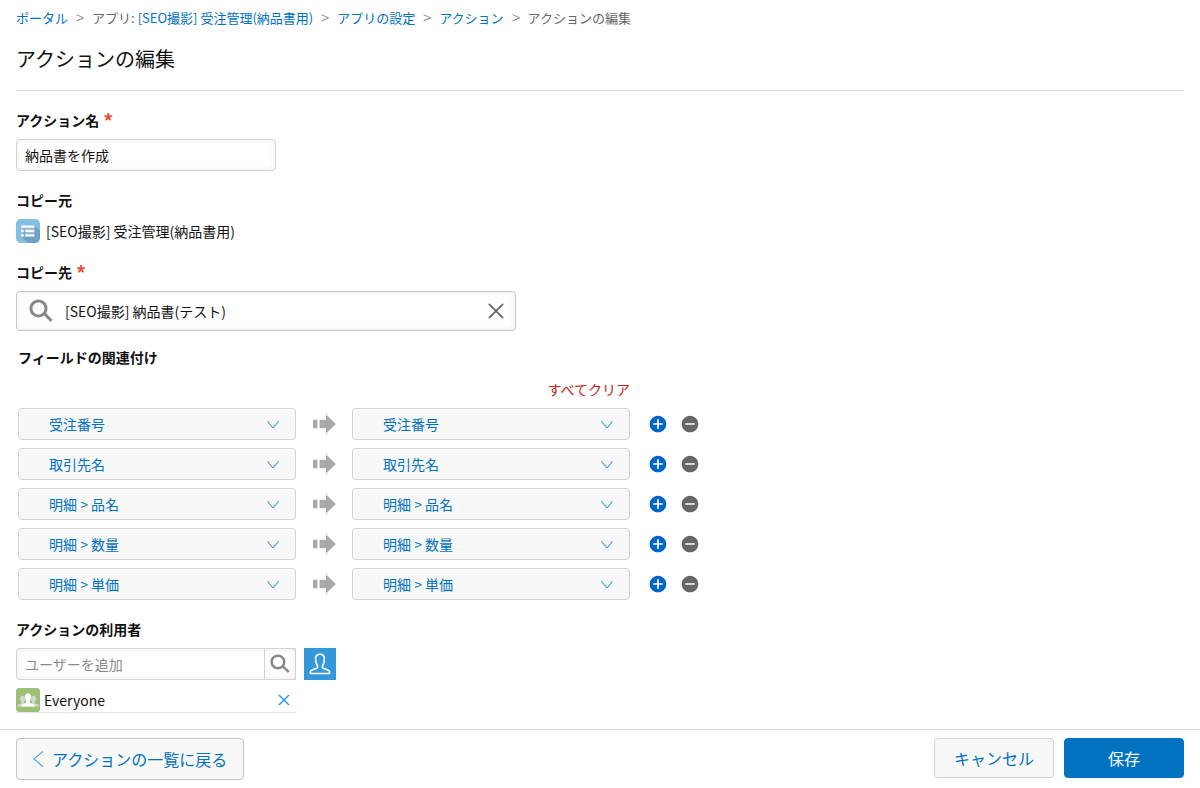
Tax-rate subtotals need extra design work, because kintone has no SUMIF
A Calculated field that totals the amounts in a table is easy to build outside the table: just enter SUM(fieldcode). The problem is that kintone has no SUMIF function (confirmed in kintone's help documentation as of October 2026). To get a subtotal per tax rate, you need a two-step design: an IF-based Calculated field inside the table that flags each row (for example, IF(税率="10%", 金額, 0)), and then a SUM Calculated field outside the table that adds up that flag field. Every time you add a new tax rate, you have to add another IF column — a maintenance cost that shows up more on packing slips than it does on quotes or purchase orders. It's doable, but it comes with design work that keeps following you around.
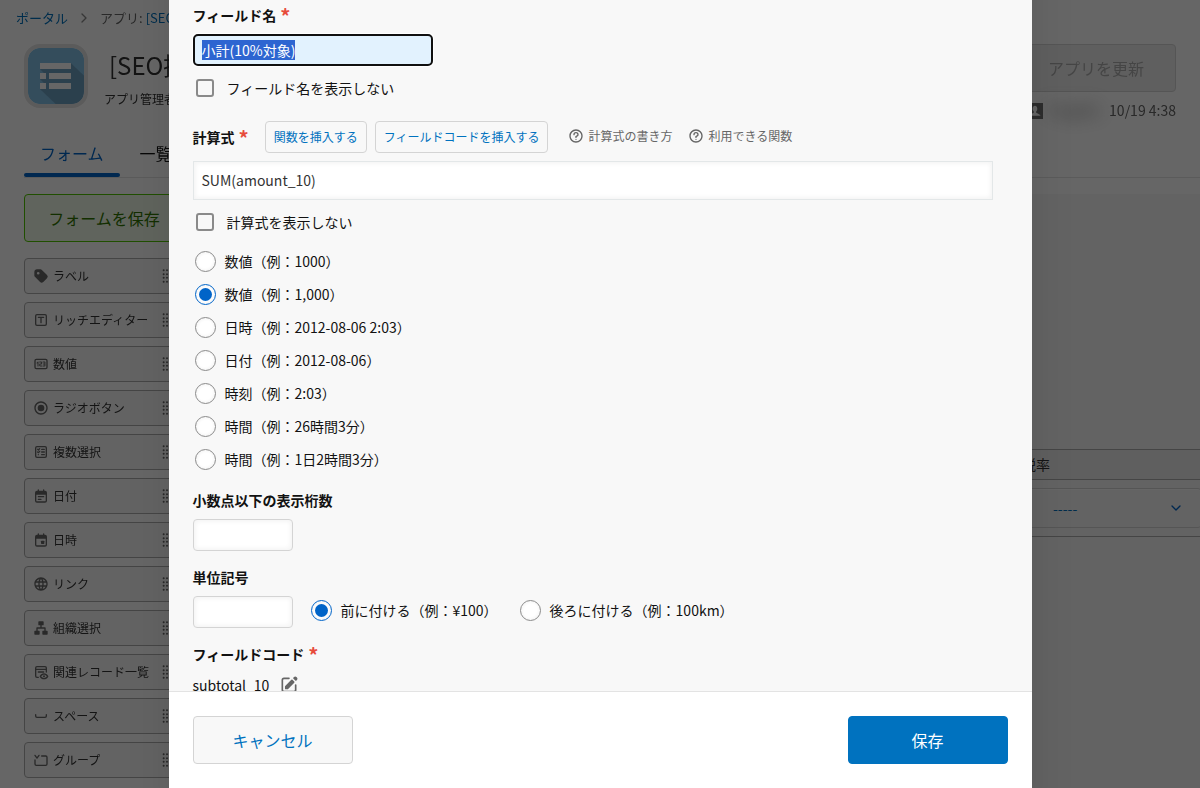
How to check your App Action and subtotal formulas before you ship
Open the App Action on the sales order app and check the field mapping to confirm every column inside the table is matched up. Create a packing slip through the action, then compare the number of rows and the total amount in its table against the original line items. For the tax-rate subtotal fields, open the calculation formula and check whether adding a new tax rate would require adding another IF column. If you need two copies, check the print preview and confirm that entering 2 in the copies field produces both at once.
If you'd rather not maintain this IF/SUM structure yourself, a tool like Excel Report Batch Generator can repeat line items automatically for however many rows you have, include tax-rate subtotals, and generate the whole packing slip from a template in one pass.