
PlugBits ListKit Manual
1. What This Plug-in Does
This plug-in adds the following features to the kintone list screen:
- View tabs
- Date filter
- Aggregate display
2. Opening the Settings Screen
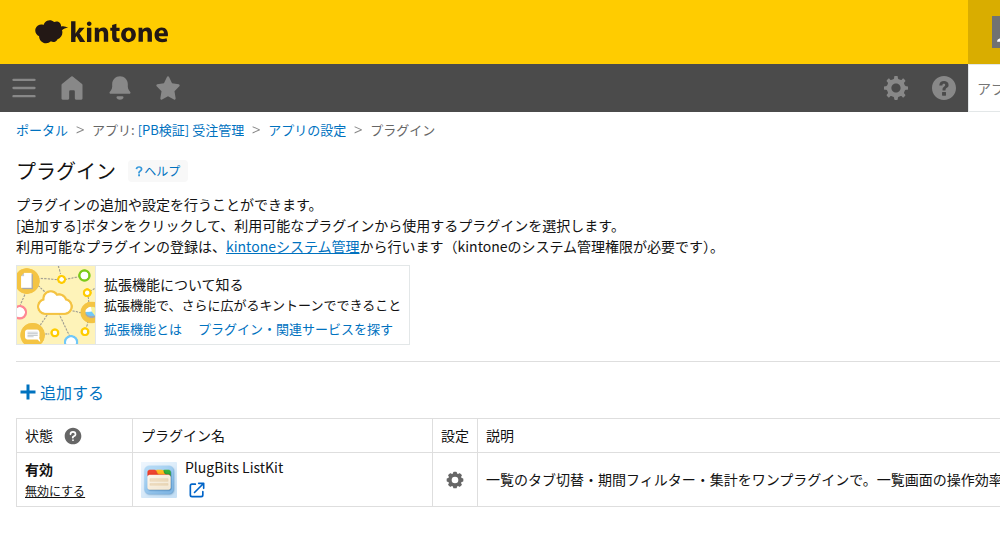
- Open the target app.
- Open the App Settings.
- In the plug-in settings, open
PlugBits ListKit.
3. View Tabs
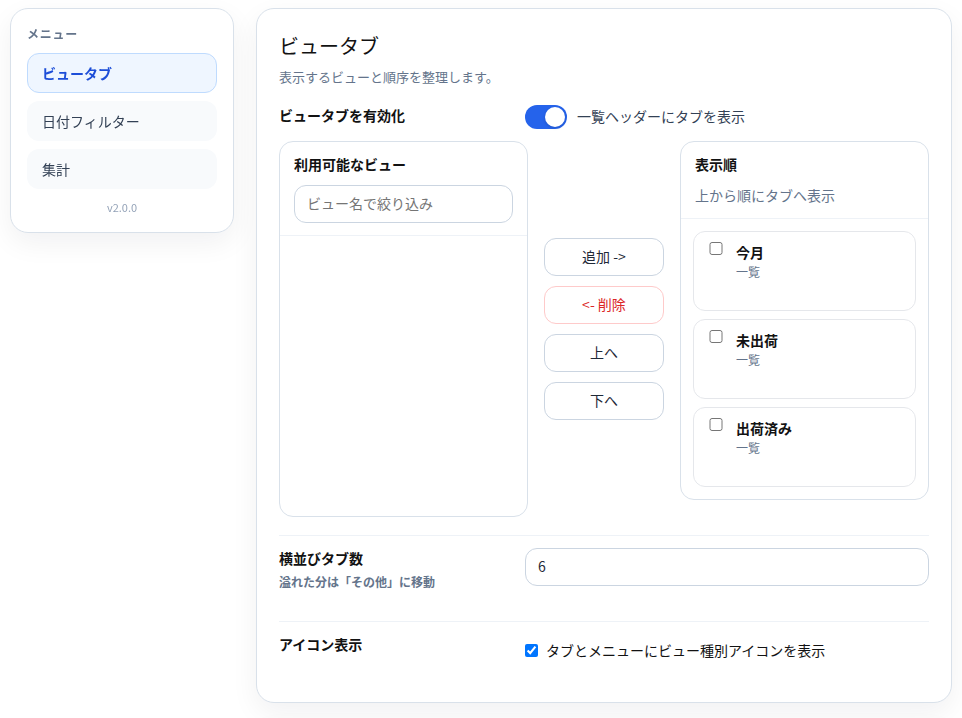
Turning on Enable view tabs displays view-switching tabs at the top of the view (list view).
Available views- The list of views that can be added to the tabs.
Display order- The list of views that will actually be displayed.
Add ->- Adds the selected view to the display list.
<- Remove- Removes the view from the display list.
Up / Down- Changes the order of the tabs.
Number of side-by-side tabs- The number of tabs shown directly on screen. Any beyond this number are placed under
More.
- The number of tabs shown directly on screen. Any beyond this number are placed under
Show icons- Displays an icon indicating the view type.
4. Date Filter
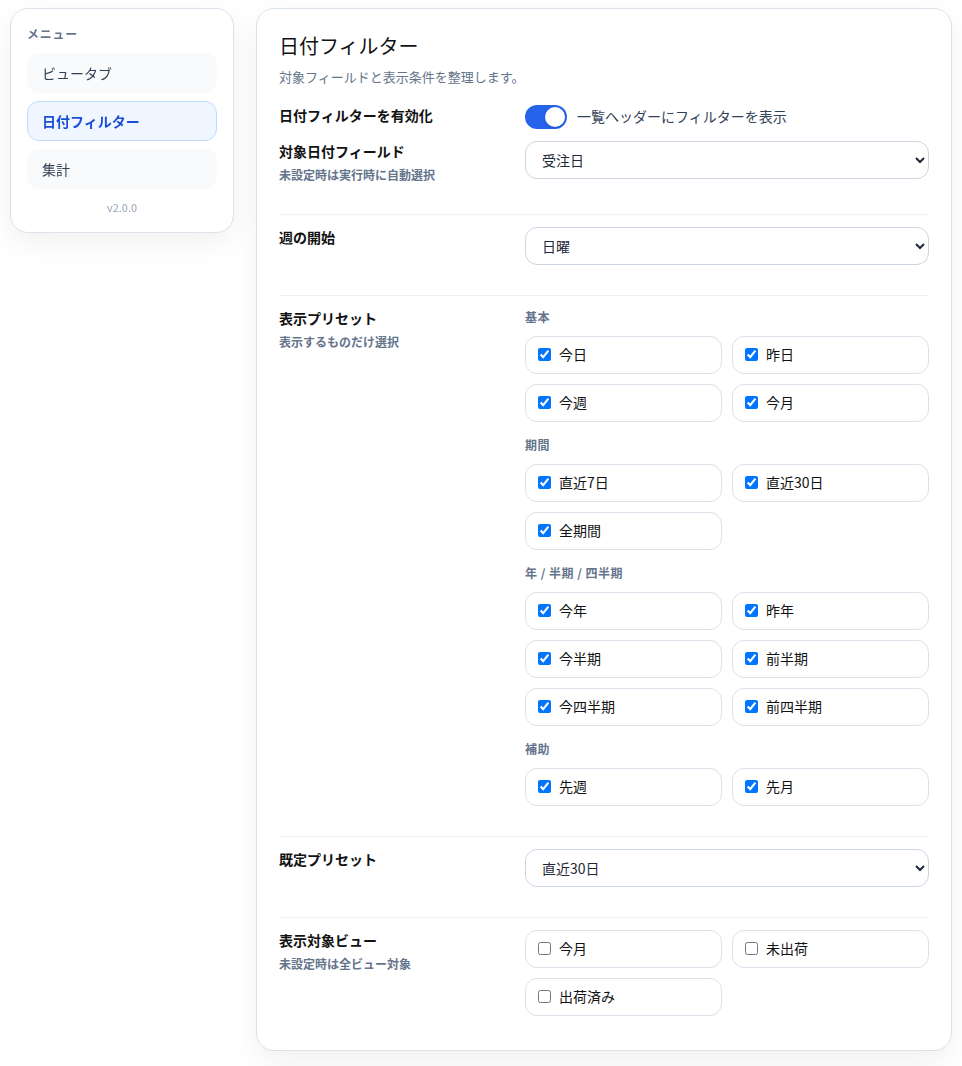
Turning on Enable date filter displays a date filter at the top of the view (list view).
Target date field- The date or date and time field used for filtering.
Start of week- The basis used for
This weekandLast week.
- The basis used for
Display presets- Select which period buttons to show to users.
Default preset- The period that is selected by default.
Views to display on- Select the views where the date filter should appear. If none are selected, it appears on all views.
5. Aggregates
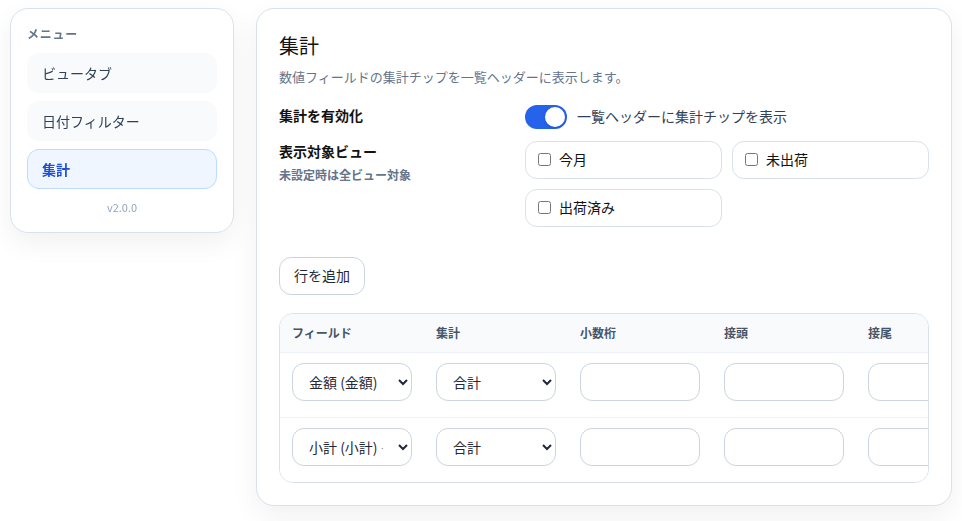
Turning on Enable aggregates displays the aggregate results at the top of the view (list view).
Views to display on- Select the views where the aggregate display should appear. If none are selected, it appears on all views.
Add row- Adds an aggregate rule.
Settings configured in each row:
Field- The number field or Calculated field to aggregate
Aggregate- Sum / Average / Minimum / Maximum / Count
Decimal places- Number of decimal places to display
Prefix- Text to add before the number
Suffix- Text to add after the number
6. Using the Feature on the List Screen
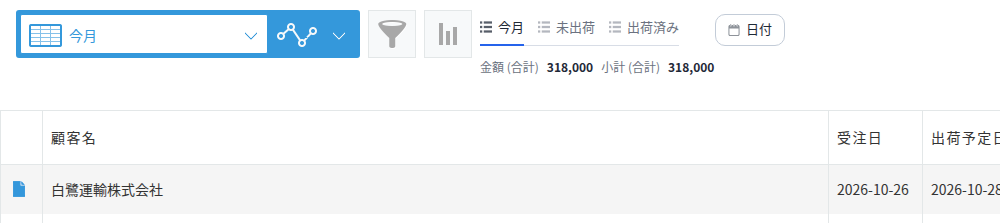
View Tabs
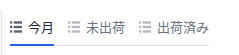
- Clicking a tab switches the view.
- If there are many tabs, select one from
More.
Date Filter
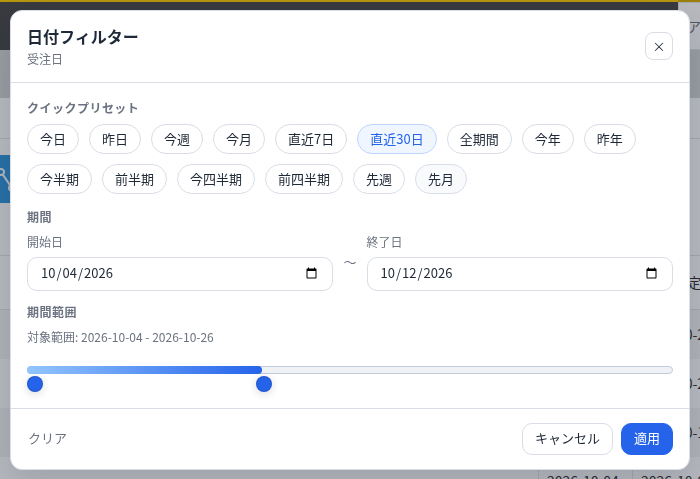
- Click
Date. - Select a period, or enter a start date and end date.
- Click
Apply. - To remove the condition, click
Clear.
Aggregates
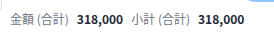
- The configured aggregate results are displayed at the top of the view (list view).
- The displayed values change depending on the current view and filter conditions.
7. Common Things to Check
The Date Filter Doesn't Appear
- Is
Enable date filterturned on? - Is the current view included in the target views?
- Does the app have a date or date and time field?
The Aggregate Display Doesn't Appear
- Is
Enable aggregatesturned on? - Is there at least one aggregate rule?
- Is a number field or Calculated field selected?
The Screen Feels Slow
- Reduce the number of views targeted for aggregation.
- Reduce the number of aggregate rows.
- Turn off aggregates if not needed.
8. Pre-Save Checks and Post-Save Notices
The settings screen prevents you from saving combinations of settings that would not work. In the following cases, saving is blocked and a message is displayed in red near the relevant field:
Enable view tabsis turned on, but there are no views listed inDisplay orderEnable date filteris turned on, but the app has no date or date and time field, or no items are selected inDisplay presetsEnable aggregatesis turned on, but there are no aggregate rules, or a rule references a field that does not exist in the app
Save will not complete until these issues are fixed. If there are no problems, the settings are saved, and the message "Settings saved. Click "Update app" on the App Settings screen to apply the changes to the view." appears below the Save button. As the message indicates, after saving, the list screen will not reflect the changes until you click Update app in the upper right of the target app's settings screen.
- If a view contains a large number of records, the aggregate display may take some time to appear.
9. System Requirements and Supported Version
- System requirements: PC browsers only (latest version of Chrome/Edge). Not supported on kintone mobile (the mobile app or mobile browser screens).
- Supported version: 2.2.1
10. License (Trial and Purchase)
- This is a paid plug-in. Enter your key in the
License (paid version)field on the settings screen and save to activate it. - Even without entering a key, you can try the plug-in free for 14 days, once per kintone domain. Once the trial starts, the remaining number of days is shown on the settings screen.
- For a second or later app on the same kintone domain, the plug-in can be used without entering a key (once a key has been verified or a trial has been started on any one app in the domain, the settings screen will show "Valid for this domain").
- If the trial period has ended, or if no valid key has been registered, all features—view tabs, date filter, and aggregates—are disabled. In this case, a notice is displayed in the lower right of the list screen.
- Purchase page: https://plugbits.app/kintone/kintone-listkit/ (Purchase procedure: https://buy.stripe.com/7sY3cxb2fbV8eBi8Zf8so07)
- Terms of use: https://plugbits.app/kintone/terms/