PlugBits for kintone 日本語

Text Rule Builder ― kintone plug-in

Still writing "if type is A and amount is 300,000 or more, set top priority" as nested IFs?

List your conditions top to bottom, and the value from the first match gets written to a text field. You can test the logic with real values before saving.

Adding one rule, stacking two conditions, and running a test to see the result.

¥1,980 one-time, tax incl., per kintone domain (1 license per domain)

You can start the 14-day free trial from the settings screen after installing

Contact us for invoice payment (for companies)

One-page summary for approval (PDF, Japanese)

Where it helps

Sorting inquiries

Automatically assign "Top priority / Normal / Later" based on type and amount. No guesswork for the person in charge.
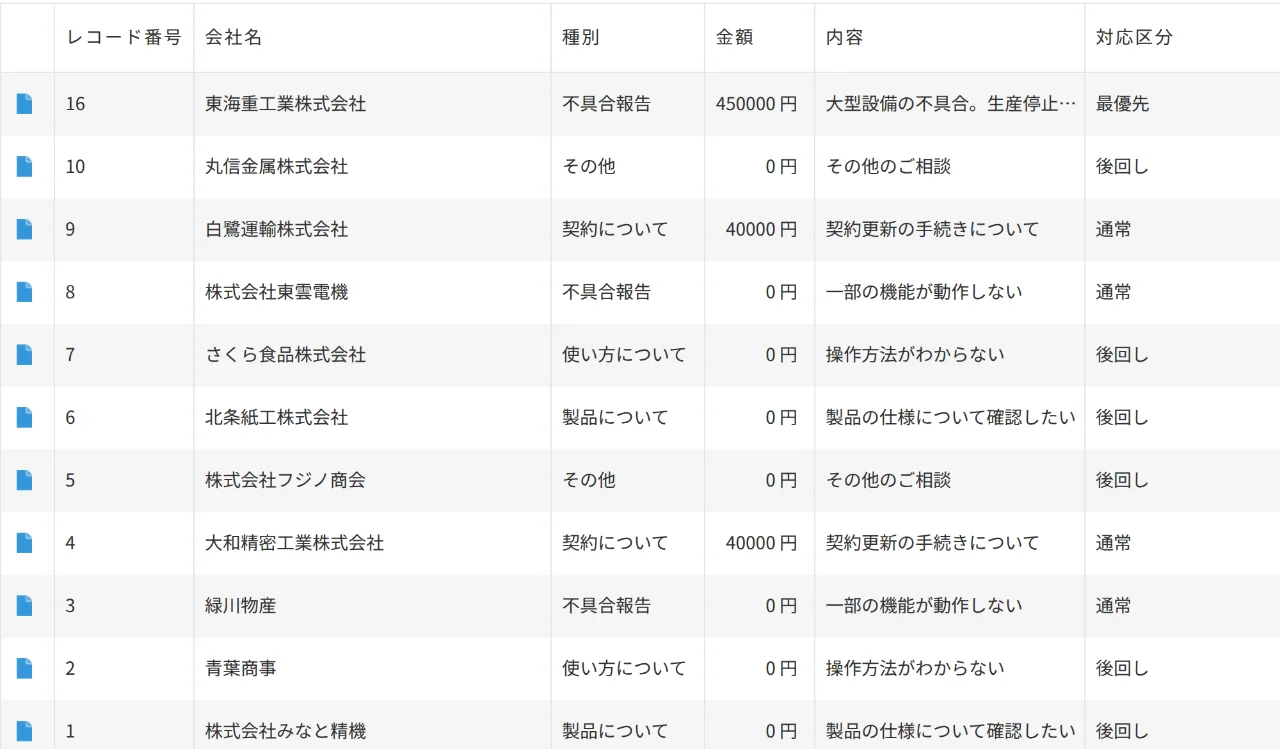
Inquiry sorting scenario. Record list view with Top priority, Normal, and Later automatically filled in the handling-category column

Quote approval routing

Fill in the approver's name based on amount ranges. Changing the route is just a matter of editing the rule on screen.
Quote approval routing scenario. Building a rule's conditions and output value on screen

Shipping method

Decide "Courier / Charter / Pickup" based on region and weight. Anyone can read the rules.
Shipping method scenario. Entering values into the test panel and checking the result

Screens

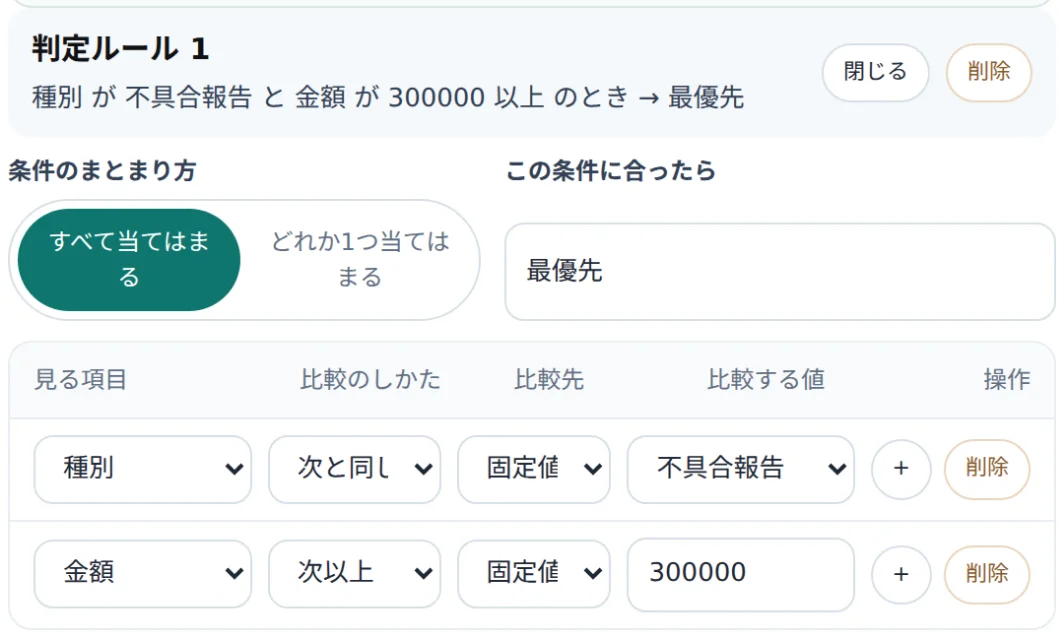
Rule-building screen. Rule 1 has two conditions (Type is Defect report AND Amount is 300,000 or more → Top priority)
Building a rule: stack two conditions and decide the value to set "when this condition matches."
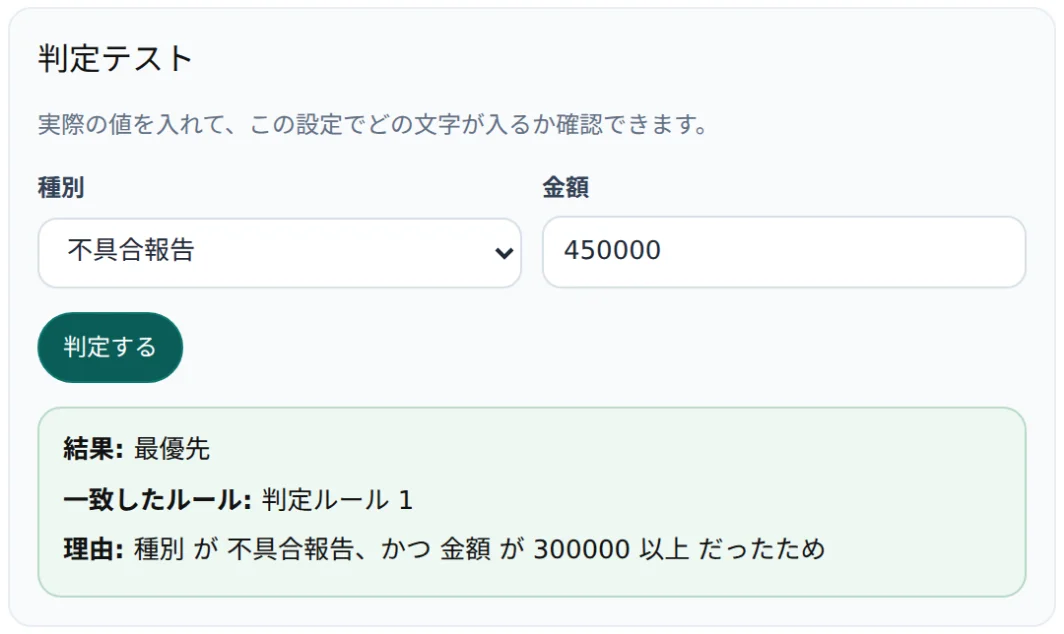
Rule test screen. With Type set to Defect report and Amount to 450000, running the test shows a result of Top priority
Rule test: before saving, check the result, the matching rule, and the reason, using real values.
Record list view with Top priority, Normal, and Later automatically filled into the handling-category column
Record list with values filled automatically: the handling-category column shows the rule results directly.
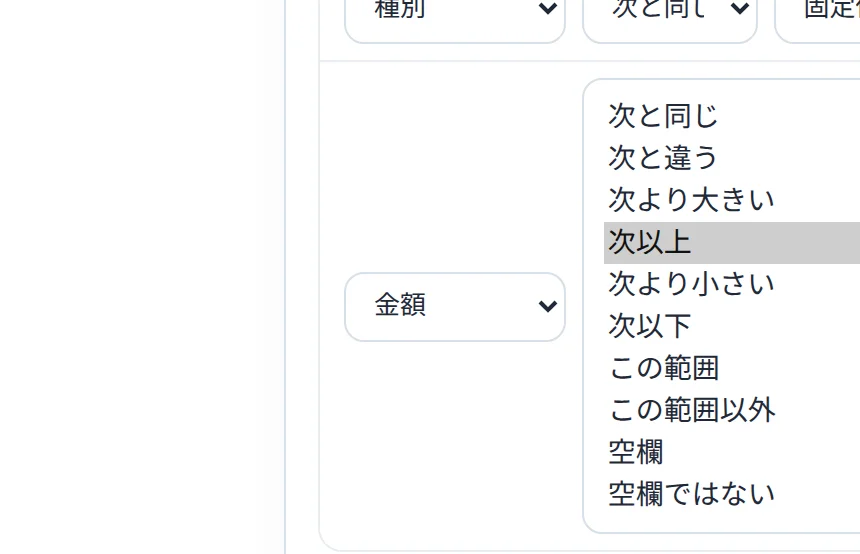
List of comparison operators. For an Amount (number) field, you can choose from many operators such as Equals, Greater than, and Within this range
List of operators: choose from Equals, Greater than, Within this range, and more, matching the field type.

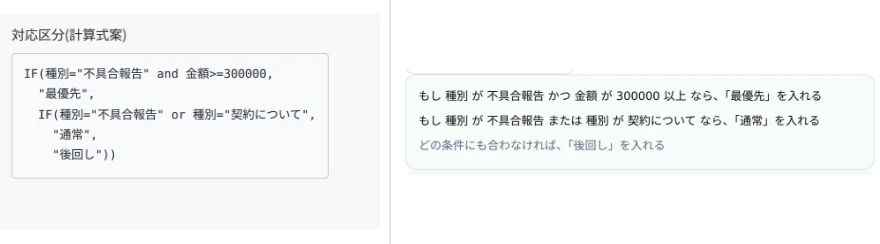
Same conditions. The one on the right is readable.

Comparison image: left shows a 3-level nested IF formula in a Calculated field, right shows the same conditions as 3 lines of plain-language rules in the rule-builder screen

Left = nested IF in a Calculated field (3 levels, example formula shown for illustration), right = the same conditions as 3 rule lines on screen.

How it works

  1. Values are written into an ordinary text field. Even if you remove the plug-in, the values that were written stay in place.
  2. Your business data is never sent outside. License verification only sends your kintone domain name and license key.
  3. It works entirely through the official kintone API and events, without touching kintone's internal structure.

Terms for company use

How to install

  1. Upload the plug-in zip file (download the zip) to kintone's plug-in management.
  2. In the target app's settings, add the uploaded plug-in to the app.
  3. Open the plug-in's settings screen, enter your key in the "License" field, and save. (This is not needed for the second and later apps on the same domain. If you haven't purchased yet, you can start a trial from "Try free for 14 days.")

If you've lost your key: enter the email address used at purchase and submit, and we'll resend the key to that address.
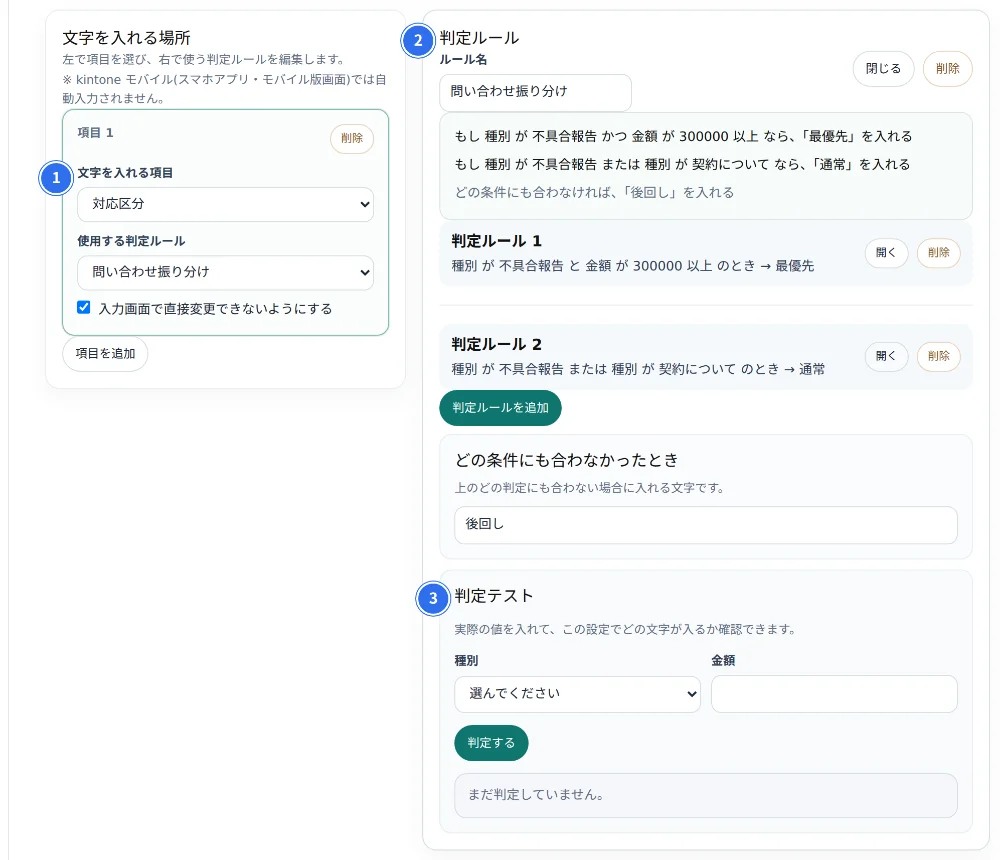
Only 3 things to set up

Text Rule Builder settings screen. Numbered callouts point to the output field, the rule list, and the rule test area

Prepare one Text field (single line) as the output destination.

  1. Choose the destination text field
  2. Arrange your rules (conditions and output values) from top to bottom
  3. Try real values in the rule test

See the manual for detailed steps.

SIGNPOST-alignedSIGNPOST alignment patterns

  1. Field-driven process improvement (0-01): designed so nested IF logic can be built through screen operations, letting the app administrator configure it without help.
  2. Don't replace standard features (3-29, standard functions first, plug-ins only if difficult): designed to preserve everything the standard Calculated field can already do, and only supplement the parts that are hard to build with it.