PlugBits for kintone

Subtable Gallery ― kintone plug-in

Still hunting through tiny subtable thumbnails to find a field photo?

Drop photos or PDFs into the record details screen, and they instantly become gallery cards. Zoom in, add a note, delete what you don't need — all from the same screen.

Drag in two photos and the card count grows, then zoom in on one and close it — the whole flow in one take.
Tap a card to zoom in, then close it to return to the gallery.

¥3,980 one-time, tax incl., per kintone domain (1 license)

For the 14-day free trial, use the settings screen after installing the plug-in.

Invoice payment (for companies): contact us

One-page summary for internal approval (PDF)

Where it helps

On-site progress reports

Review yesterday's job-site photos on a single screen before the morning meeting. With scaffolding, wiring, and finishing work lined up side by side, there's no need to explain it verbally.
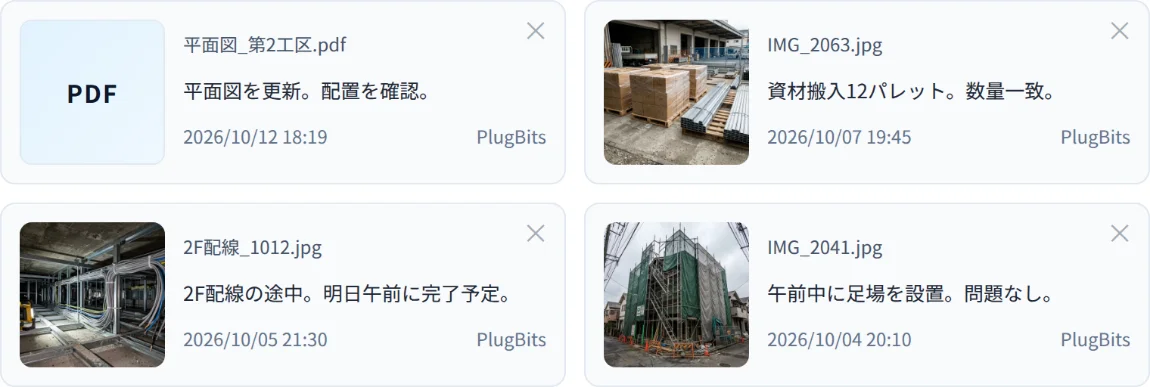
On-site progress report scene showing scaffolding and wiring photos arranged as gallery cards

Inspection and pre-delivery records

Keep pre-shipment photos filed by part number. When an inquiry comes in, just open that record.
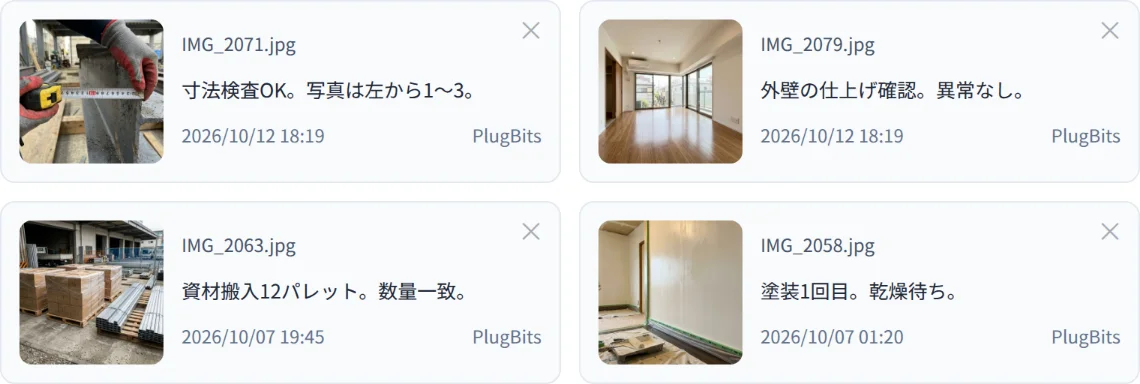
Inspection and pre-delivery record scene showing pre-shipment inspection photos arranged as cards

Comparing drawings with photos

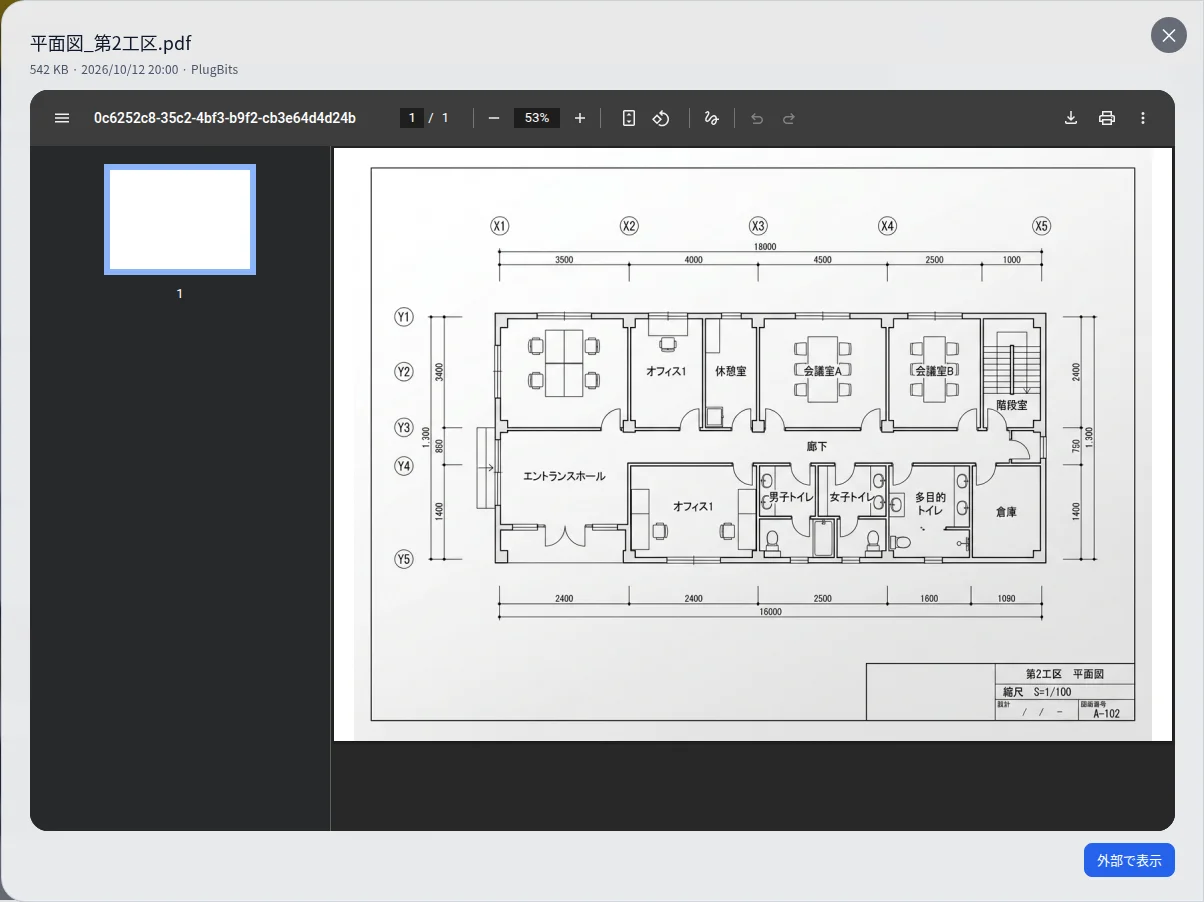
Place a PDF drawing and photos of the actual item in the same row of cards, then zoom in to compare them.
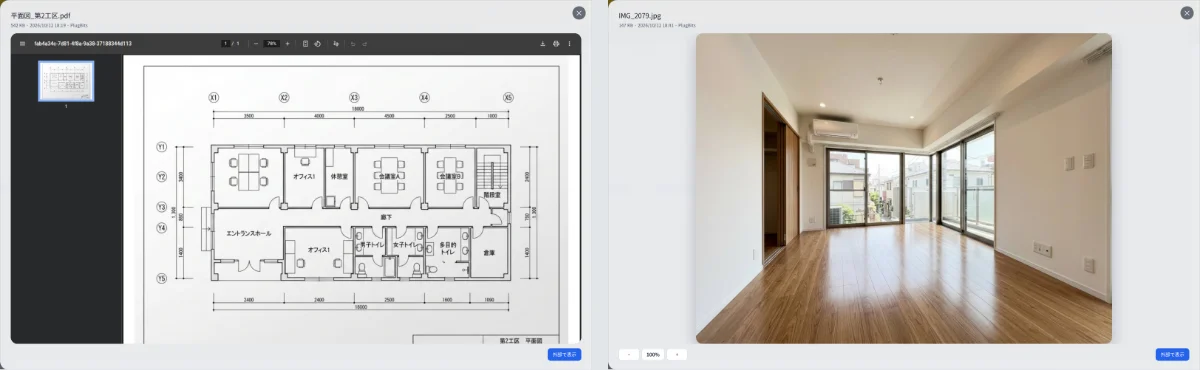
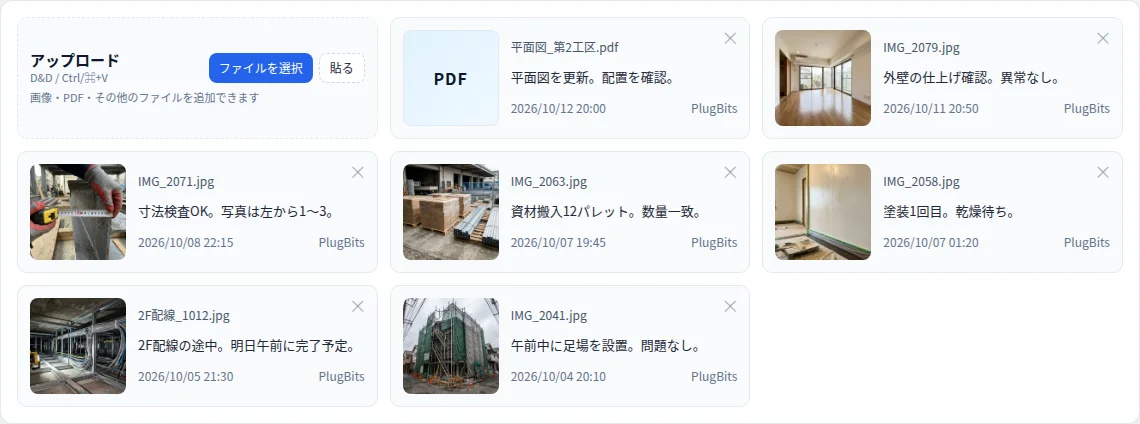
Drawing-and-photo comparison scene showing a PDF drawing and on-site photos arranged in the same card row

Screens

Gallery screen with photos and PDFs arranged as cards, showing thumbnail, file name, note, poster, and date/time
Gallery: photos and PDFs arranged as cards, with thumbnail, file name, note, poster, and date/time.
Zoomed-in view showing a photo enlarged in place after tapping its card
Zoom: tap a card to enlarge it in place. PDFs can also be paged through.
Upload screen showing the three input methods: file selection, drag-and-drop, and paste
Three ways to add files: file selection, drag-and-drop, or paste (Ctrl+V).
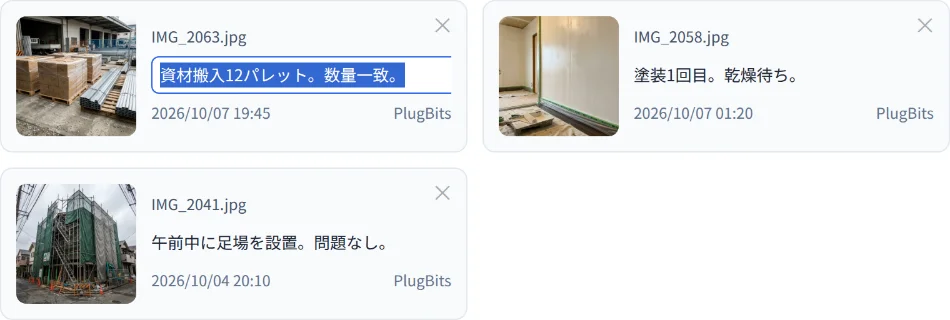
Note editing screen showing a card's note being edited in place
Notes: edit a card's note in place. Deletion requires confirmation.

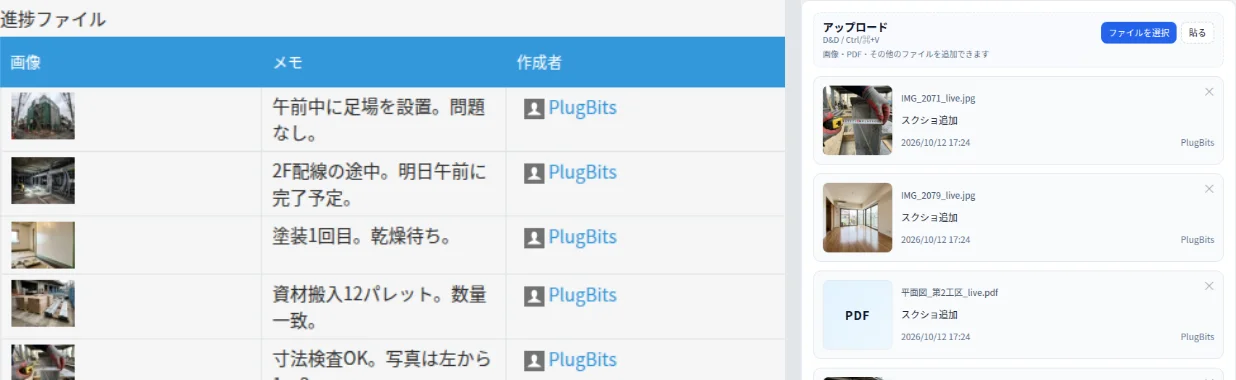
Same data, different look.

Comparison image of the standard subtable table view (left) and the gallery card view after applying Subtable Gallery (right)

Left = standard subtable (small thumbnails and rows), right = gallery view of the same data.

How it works

  1. Data is still stored in the subtable as before. Even if you remove the plug-in, the photos and notes stay in kintone.
  2. Your business data is never sent externally. License verification only sends the kintone domain name and key.
  3. It works entirely through official APIs and events, without touching kintone's internal structure.

Terms for company use

How to install

  1. Upload the plug-in zip file (download the zip) to kintone's plug-in management.
  2. In the target app's settings, add the uploaded plug-in to the app.
  3. Open the plug-in's settings screen, enter your key in the "License" field, and save. (Not needed for the second and later apps on the same domain. If you haven't purchased it yet, you can start a trial from "Try it free for 14 days.")

If you've lost your key: enter the email address used at purchase and submit, and we'll send the key to that address again.
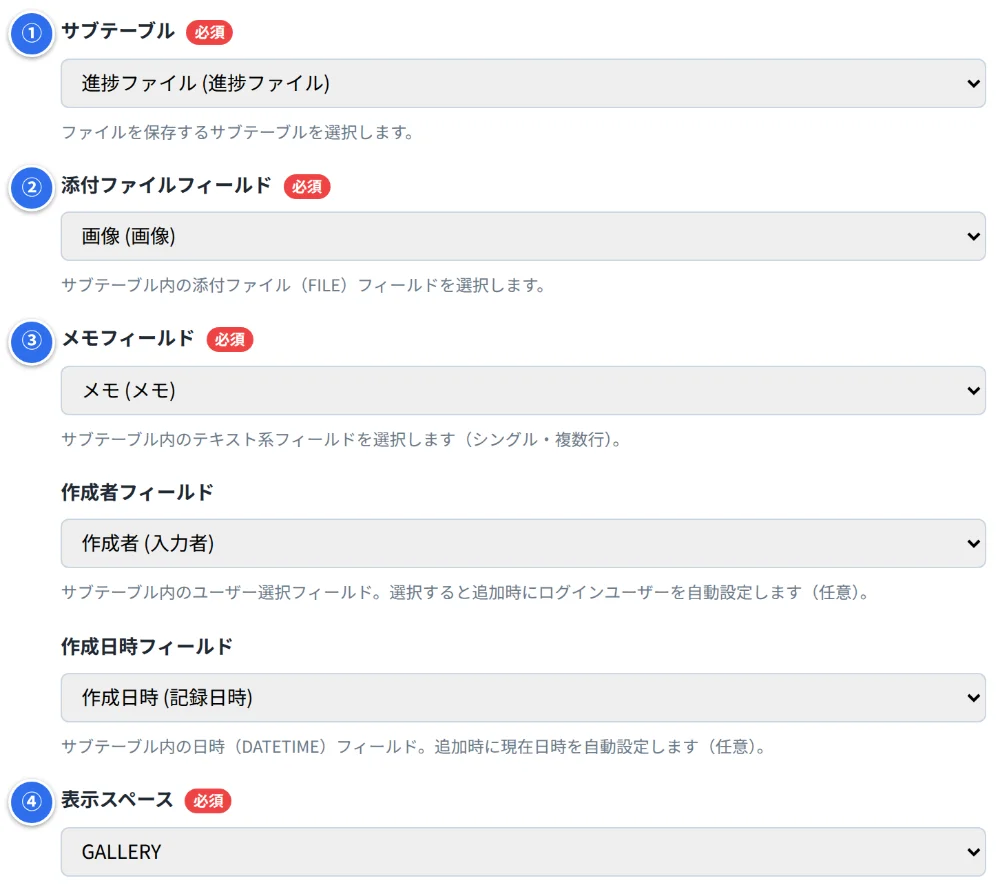
Only 4 settings to configure

Subtable Gallery settings screen where numbered fields let you choose the subtable, attachment field, note field, and space to display

On your form, prepare a subtable that includes an Attachment field and a multi-line text field, plus one space field.

  1. Choose the subtable (table) that will hold the photos
  2. Choose the Attachment field within the table
  3. Choose the note field within the table
  4. Choose the space to display the upload area and gallery

For detailed steps, see the manual.

SIGNPOST compliantHow it fits the SIGNPOST guidelines

  1. Doesn't replace standard functionality (3-29, moderate UI customization). Designed around this principle: the subtable's storage structure is left untouched, only the display is changed to a gallery.